
SpeedBox 1.1 for Bosch (Smart System) - Qty: 100 pcs + 16 free, Package: BOX
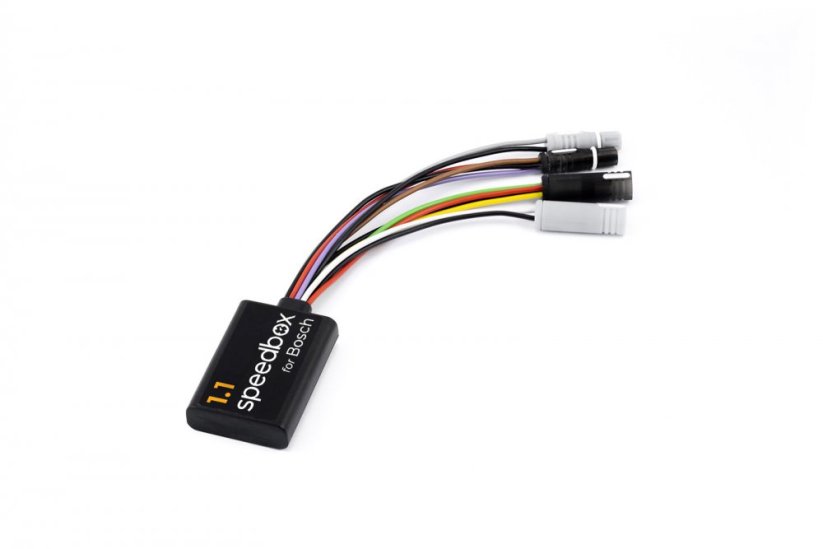




BOSCH SMART SYSTEM TUNING CHIP
Unlocks 25 km/h speed limit for e-bikes
COMPATIBILITY
Motors
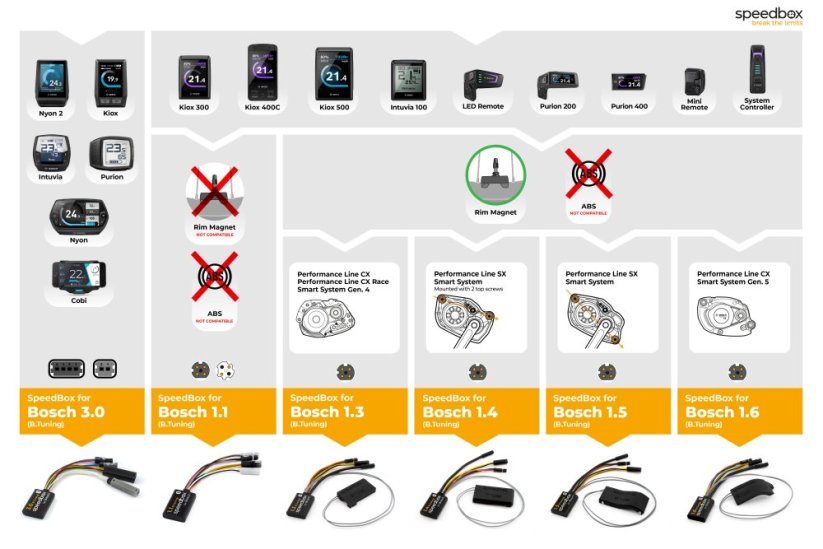
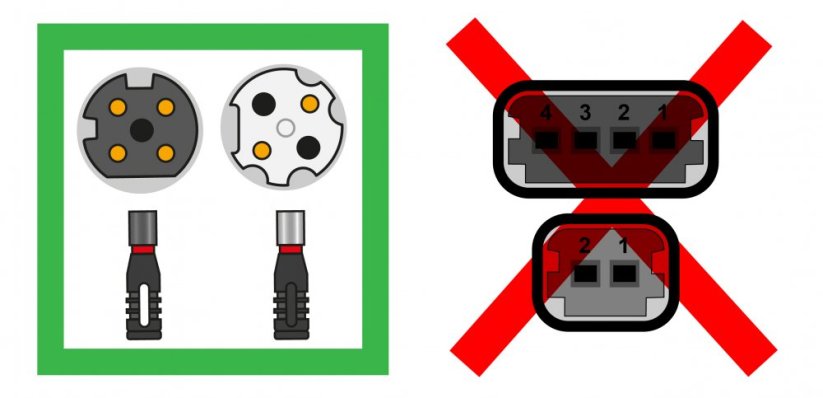
4th & 5th gen, round connectors
Bosch Smart System
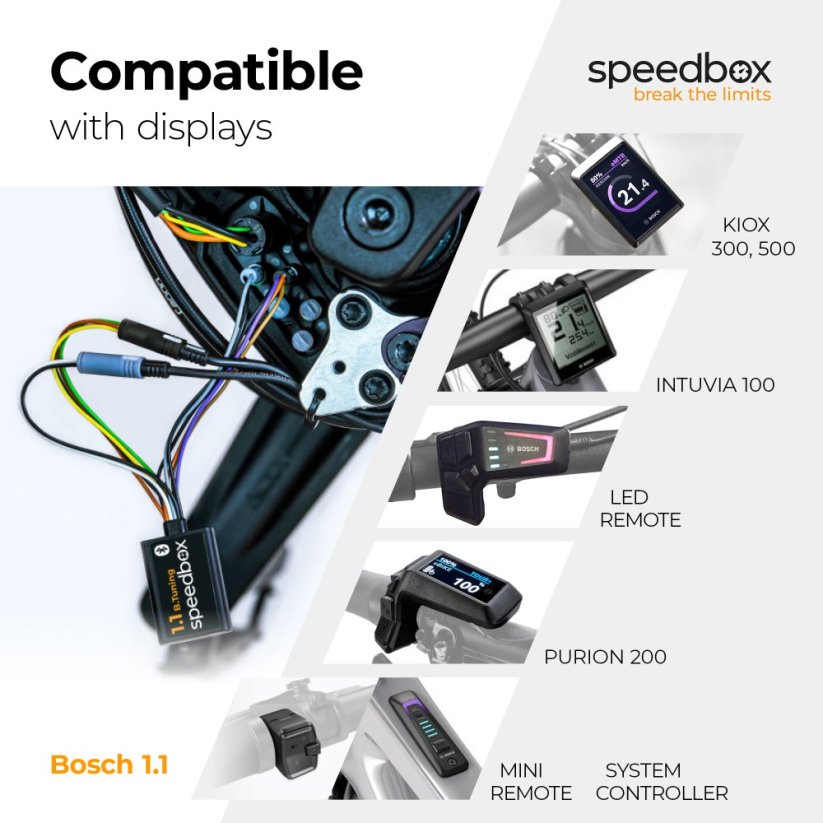
Displays
Kiox 300 / 500
Purion 200 / 400
Intuvia 100
LED Remote, Mini Remote, System Controller
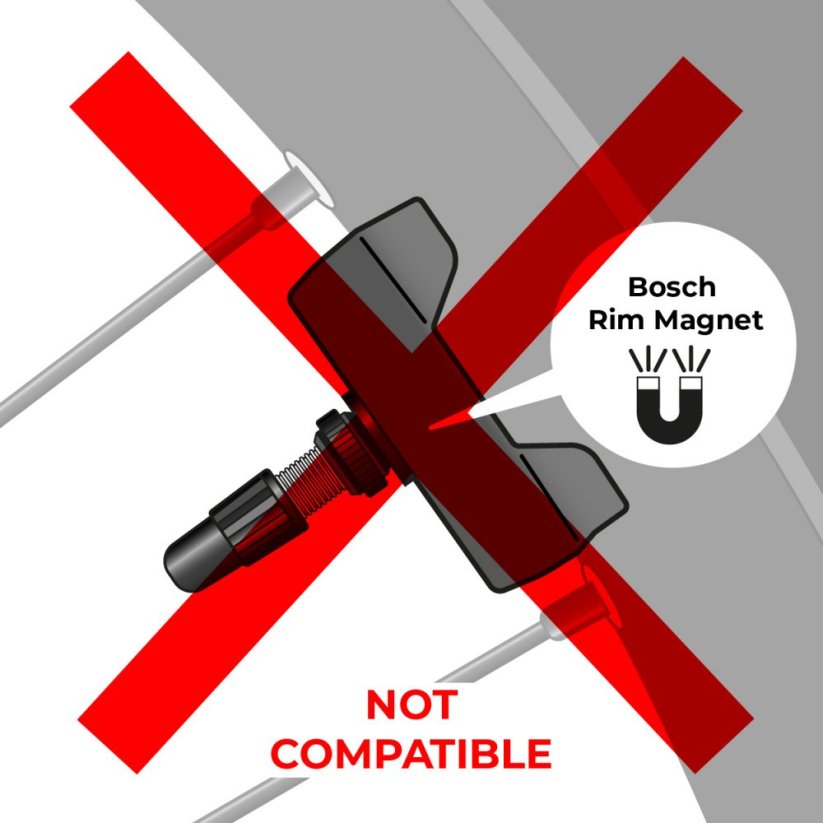
Not compatible with Rim Magnet
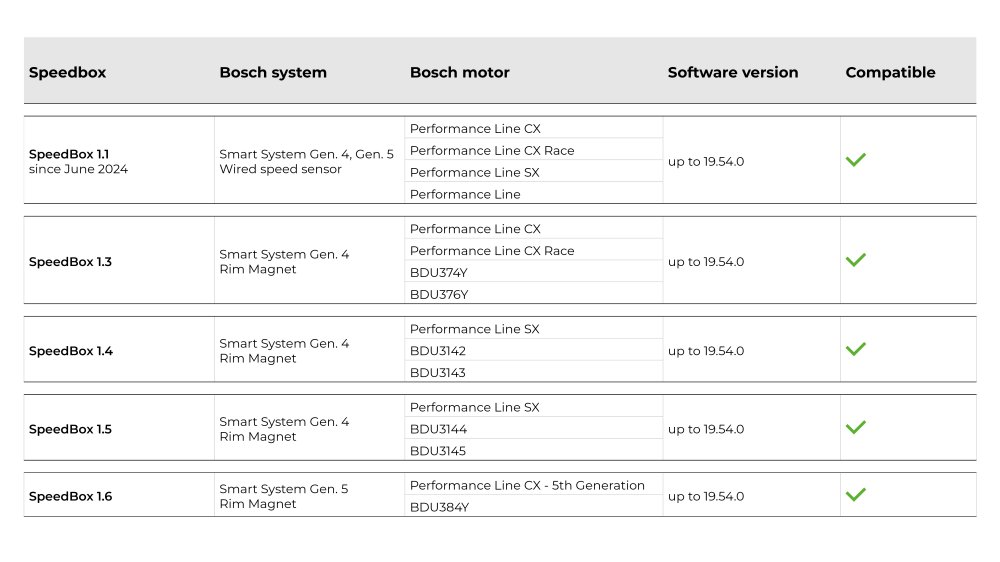
View the list of supported software versions
Not sure which model to choose? → Use our Buyer's Guide
More
Product code: SB11_B_100+16pcs_BOX Shipping and Payment
Key features
SpeedBox 1.1 is the best-selling tuning chip for e-bikes with Bosch Smart System motors. It removes the 25 km/h speed limit, allowing you to enjoy the full performance of your e-bike.

Tuning control
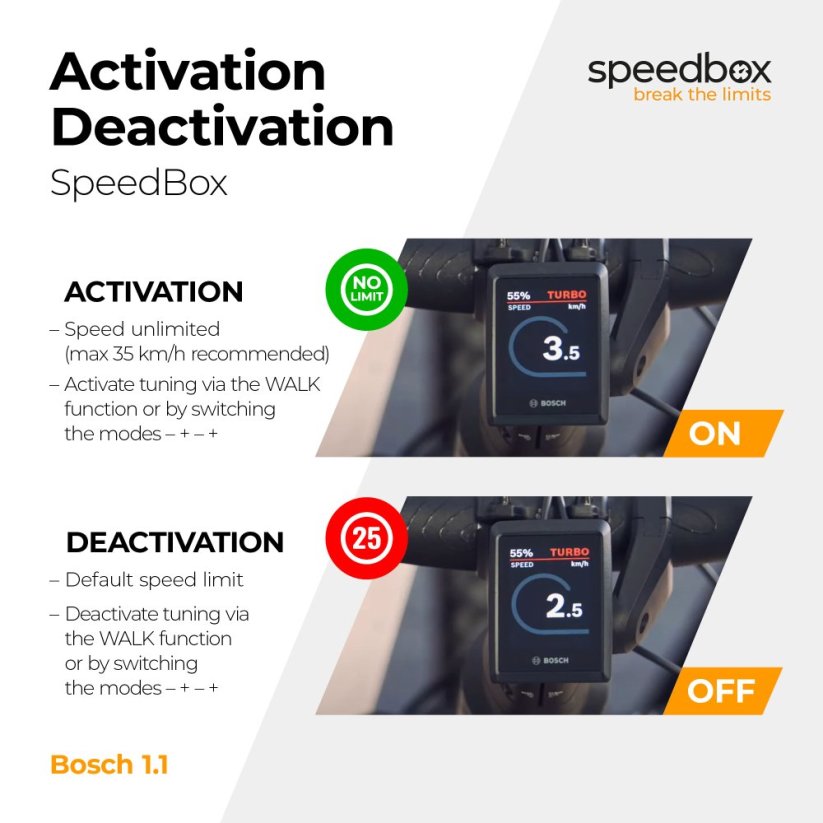
Switch between the 25 km/h limit and unlimited mode

Easy installation
Thanks to clear instructions including a video, anyone can handle the installation
Compatibility
Motors: Bosch Smart System 4th & 5th gen (round connectors)
Displays: Kiox 300, Kiox 500, Intuvia 100, Purion 200, Purion 400
Units: LED Remote, Mini Remote, System Controller, SpeedBox Tracker
Not compatible with: standard motors (rectangular connectors), ABS, Enviolo Automatiq
Technical specifications
| Maximum speed | Factory preset 35 km/h (EU) / 22 mph (US). Do not change the speed limit.* |
|---|---|
| Display shows | Values approx. 10 km/h lower than the actual speed |
| 3 activation / deactivation | WALK function / + - + - buttons |
| Custom speed limit | Adjustable |
| Bluetooth | No |
| Updates | No |
| Minimum mileage before installation | 10 km (new bike) |
Installation
Installing the device is easy and intuitive. Choose the option that suits you best – a video guide, a printed manual, or a detailed step-by-step picture guide.
Video guide
You can find a detailed installation and tuning activation procedure on our YouTube channel
Printed manual
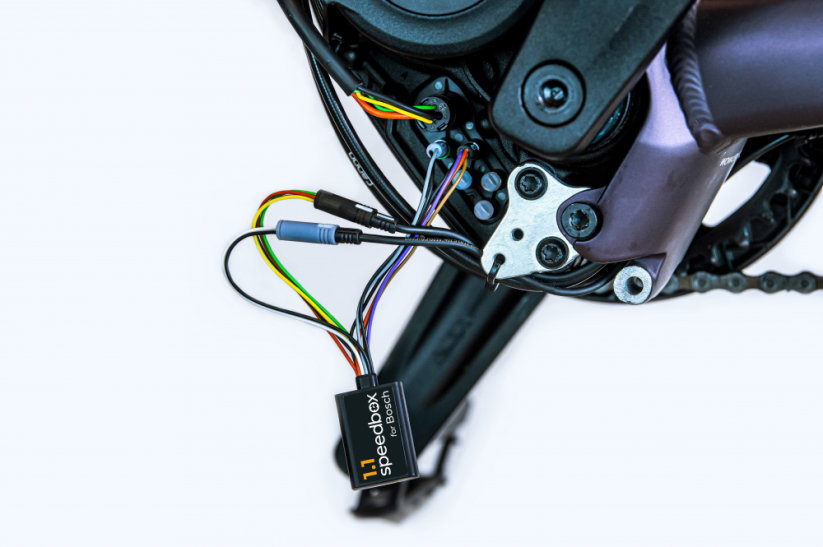
Inside the product package you will find a printed manual including a wiring diagram for connecting the chip to the motor
Step by step
The illustrated guide will walk you through the installation step by step — from removing the motor cover to the test ride. Each step is accompanied by photos and clear explanations.
User manual →Recommendations for trouble-free SpeedBox operation
- Keep the e-bike turned on after each ride until the “Countdown” (distance recalculation) is completed.
- During short stops, keep one foot on the pedal to prevent the countdown from starting.
- During longer stops, allow at least part of the countdown process to complete.
- Do not disconnect the display before the countdown is finished.
- Do not perform software updates – disable automatic updates.
- Always activate/deactivate tuning before or after the ride, not during.
- Do not increase the set maximum speed of 35 km/h.
Overview of supported software versions:
Click the image below to view the complete compatibility chart.

Warning
- Rules for using derestricted e-bikes vary by country, so check local legislation before riding.
- SpeedBox is intended for off-road use only and you use it at your own risk.
- The manufacturer is not liable for damage caused by illegal or improper use.
- Installation may also void your e-bike warranty.
- For your safety, use appropriate protective gear and ride with maximum caution.



| Bosch Motor |  |
|---|---|
| Bluetooth/ SpeedBox Connect | NO |
fahr Rad Singer Singer Jakob
Positives
NegativesEbike erkennt immer wieder diesen Chip
Denus Feigin
PositivesVery good devise , professional and quick
Negatives
João Arriaga
PositivesEasy to install
NegativesPrice a bit high and display does not show the real speed. Default max speed is 35klm. Should be a bit more
DAVIDE BRUNETTI
PositivesTutto ok. Funziona perfettamente. Sono soddisfatto del componente e della consegna nei tempi previsti.
Negatives
Stephane Lombart
Positives
Negativestrès décu de ma dernière commande...
Système clic des connectics dans le moteur bosch inexistant et surtout pas de percage dans le connectic qu ...More
Related products4
SpeedBox Tracker for Bosch

SpeedBox Ebike Cleaner


SpeedBox ChainCare Pro